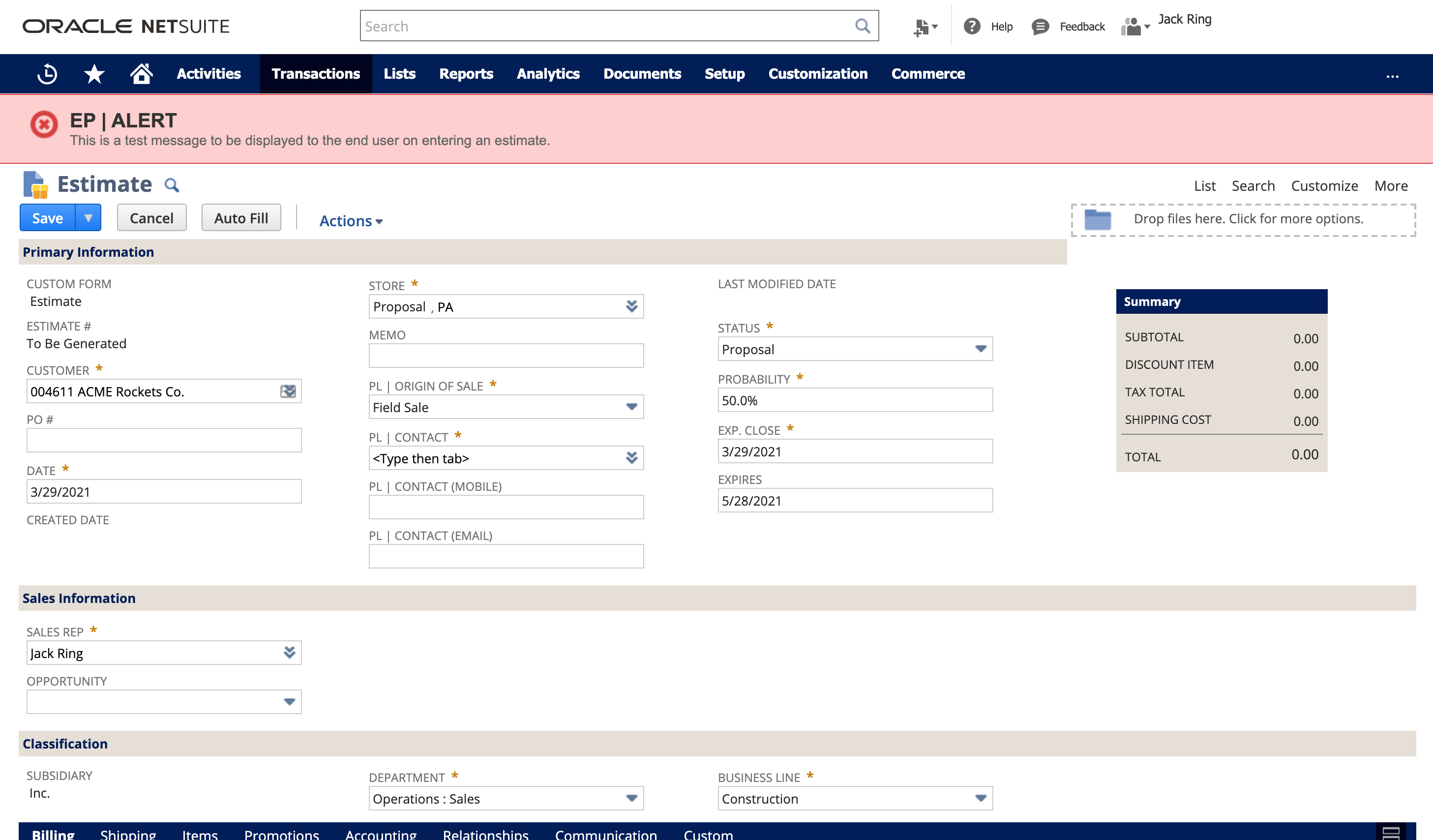
This article demonstrates how to create an elegant message banner across the top of the estimate form. This will display when there is an informative note about a customer. Another application may be used to trigger a banner to show when there is a past due amount.
This design pattern utilizes a client script, the SuiteScript message module and a custom body field on the customer record.

Our Client wanted to display notable information about a customer to the employee on transaction creation or edit. Any given customer may or may not have a custom alert note.
The following is not intended to say that this is the only way to accomplish this outcome nor is it intended to be a lesson in suitescript theory or otherwise. It is meant to serve as a general outline.
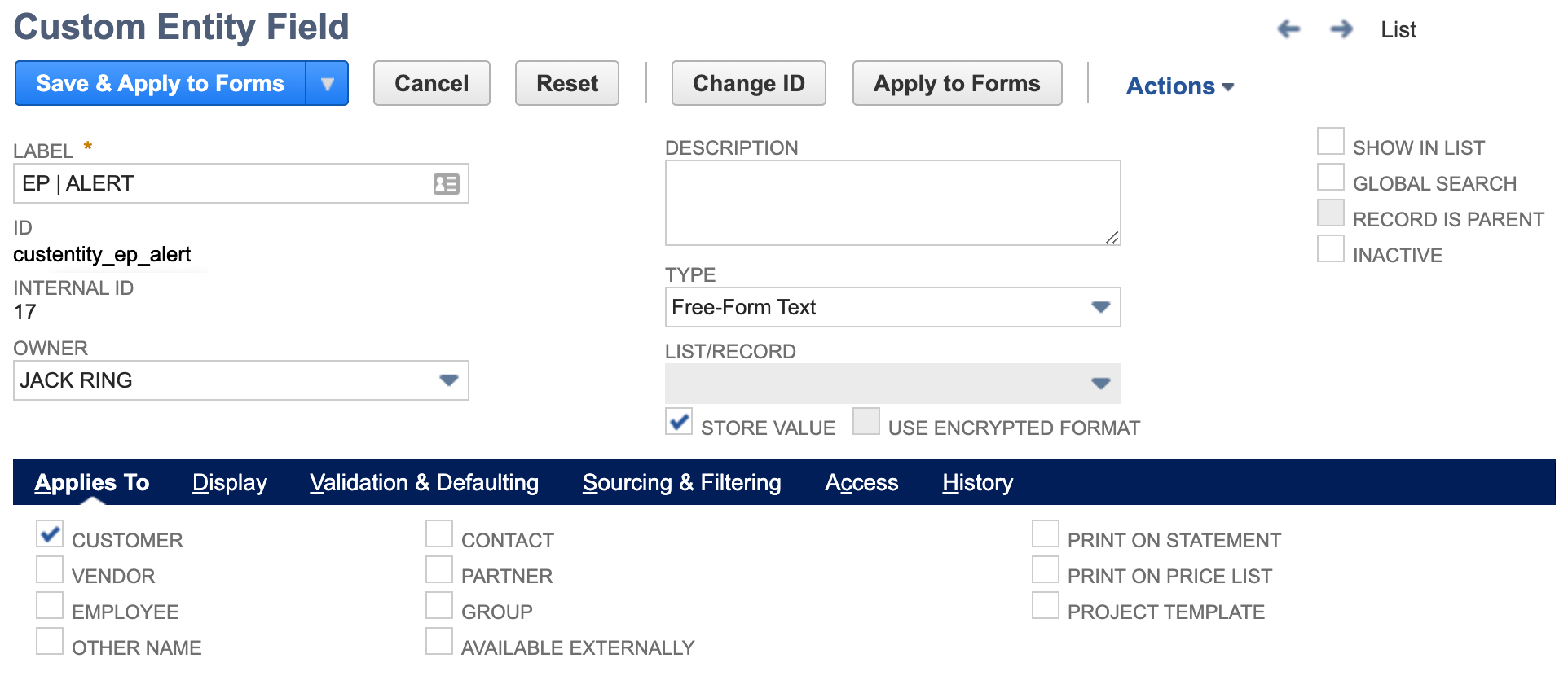
We take great care to be good stewards in a NetSuite environment. Note the internal id naming convention. We follow a strict structure where in the above screenshot << _ep_ >> is a two character abbreviation representing the company. This indicator allows a client to readily identify things that they have customized as opposed to what was created by a third-party bundle.
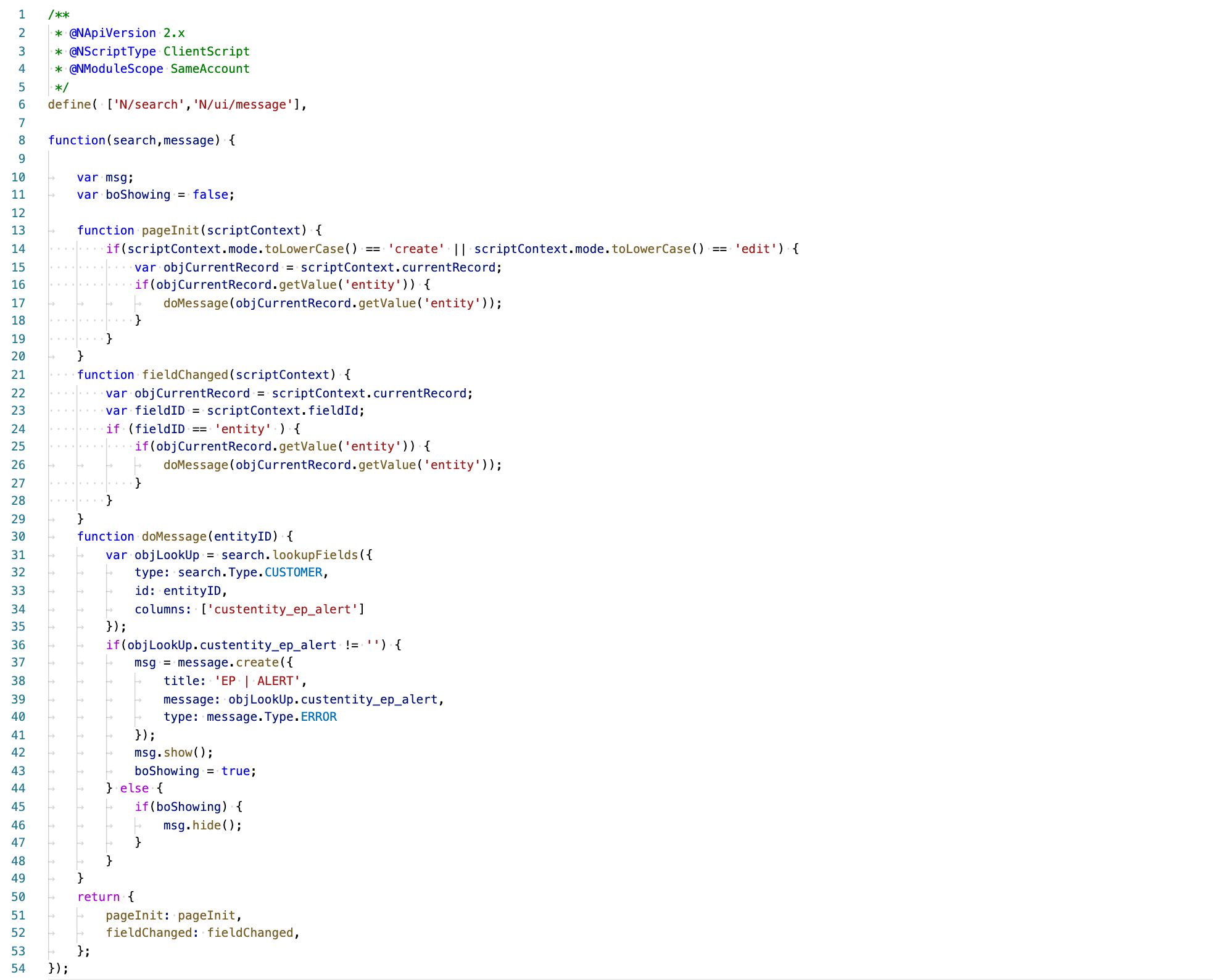
Line 13: pageInit() is used to trigger evaluation if the transaction was spawned from the add new button on the customer record or was previously created and is simply being edited.
Line 21: fieldChanged() is used to trigger evaluation if the transaction was spawned (customer independent) from the add new button located above the NetSuite center tab on any page.
Line 31: lookupFields function is used in the search SuiteScript module to get our custom entity field value from the customer.
Line 46: hide the banner if the employee has switched the customer and the new customer has no custom alert.
If you need help doing more with your NetSuite instance, give us a call. We're here to be your NetSuite system experts. This way you can remain focused on the needs of your customers and growing your business.
...
If your company runs on Oracle NetSuite and you find that your users continually create duplicate customers even after training and retraining, you may consider that their global search results are not as helpful as they could be. This article explains a technique that your administrators can use to help everyone in your organization do a better job searching for and finding existing customer records before creating a new ones.
This article may be of interest to you if your business uses Oracle NetSuite ERP and sometimes has a need to flag certain stock units of a serialized item. NetSuite provides the efficiencies of managing your business in an industry standard way while at the same time leaving a lot of room for creative solutions customized to your way of running your business.
And why most teams don’t see it coming. Go-live is not the finish line. It is the moment NetSuite is finally exposed to real behavior. This is where the system either proves itself or quietly begins to break. Not because NetSuite is flawed, but because the guardrails were never fully set.