This article is relevant to you if you are running your business on Oracle NetSuite and would like to update many Customer address records at one time.

It is easier to extract addresses by Saved Search so that the user can make updates in Microsoft Excel then use NetSuite's native CSV import tool to pass the updated data back into the system.
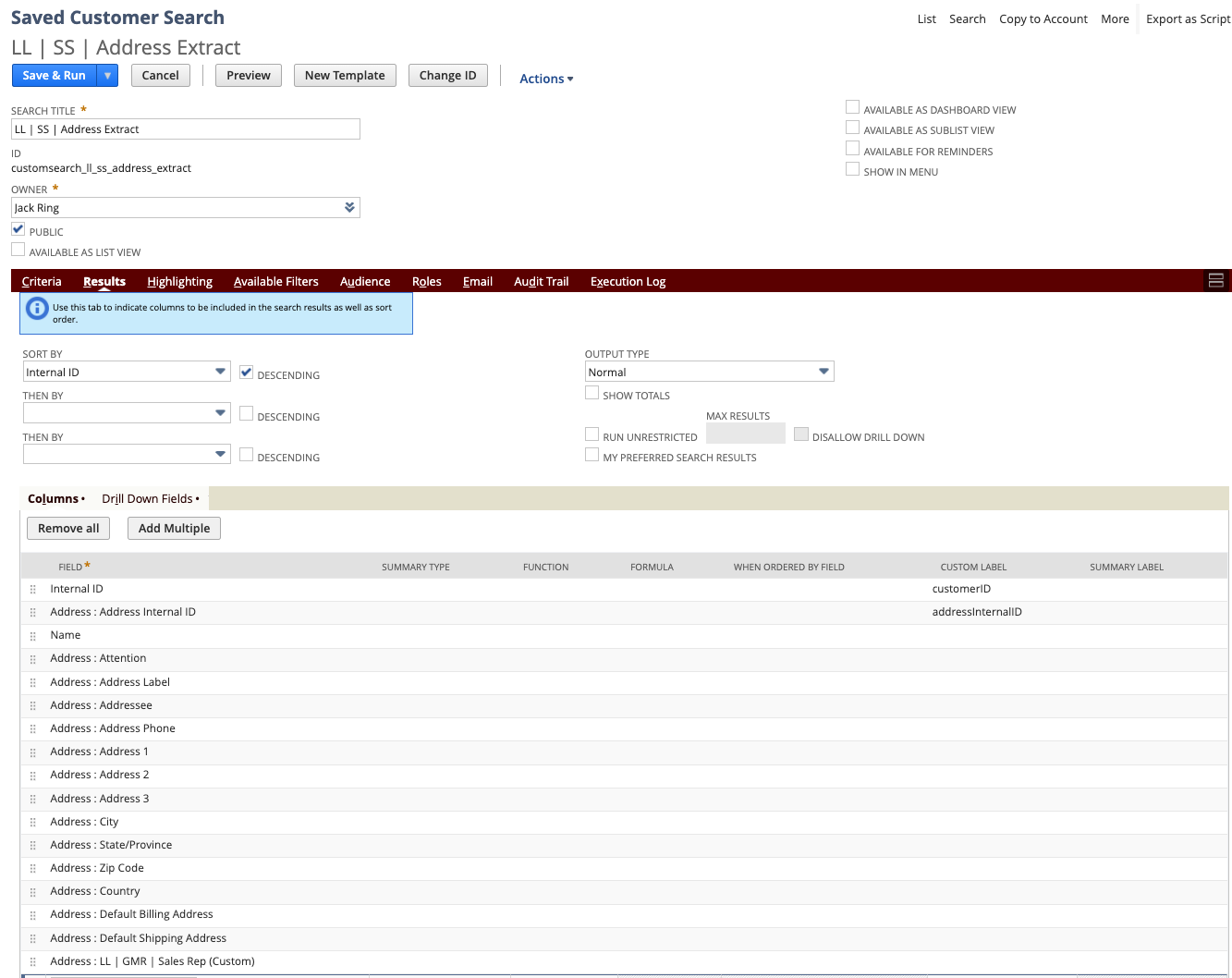
Note that the Saved Search is a search on Customer records with just "Internal ID" and "Name" selected from the main Customer columns and all other columns are selected from the Address SubRecord.
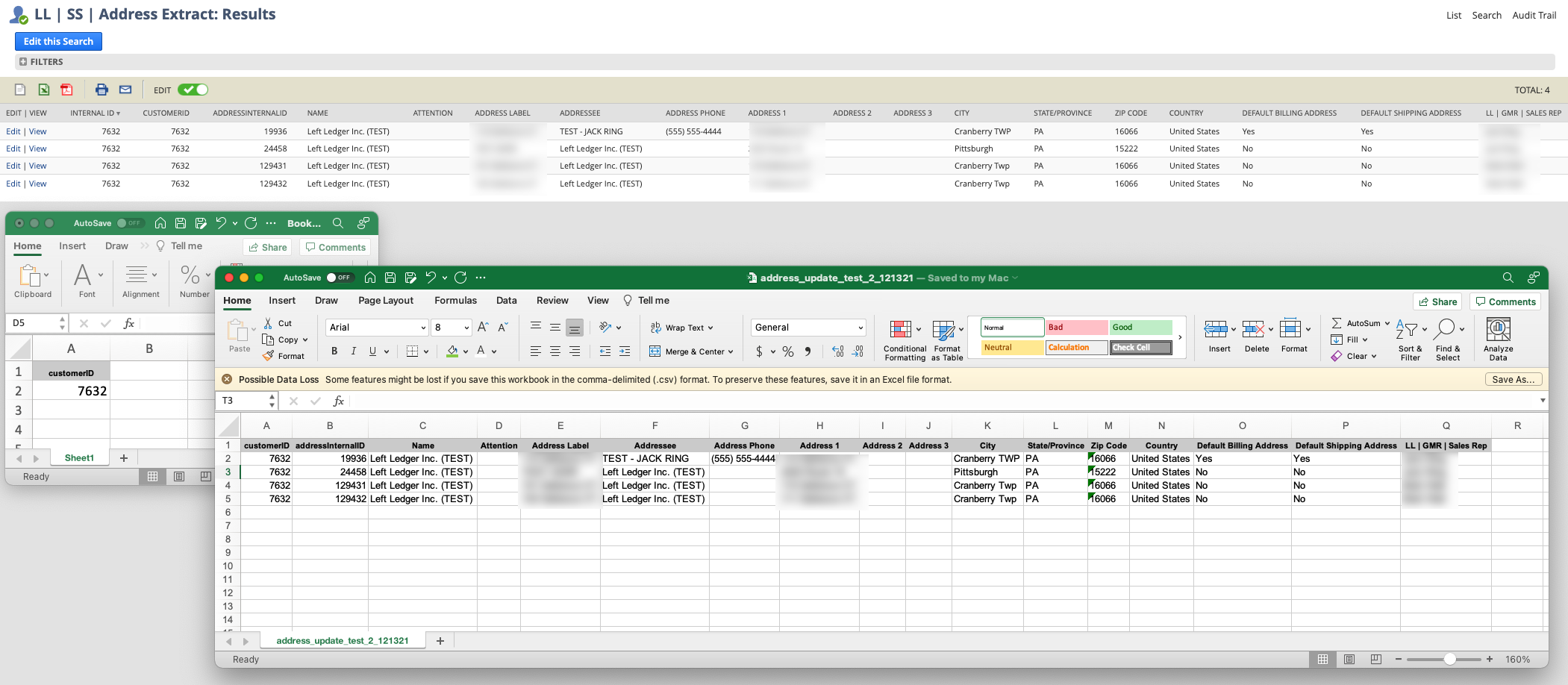
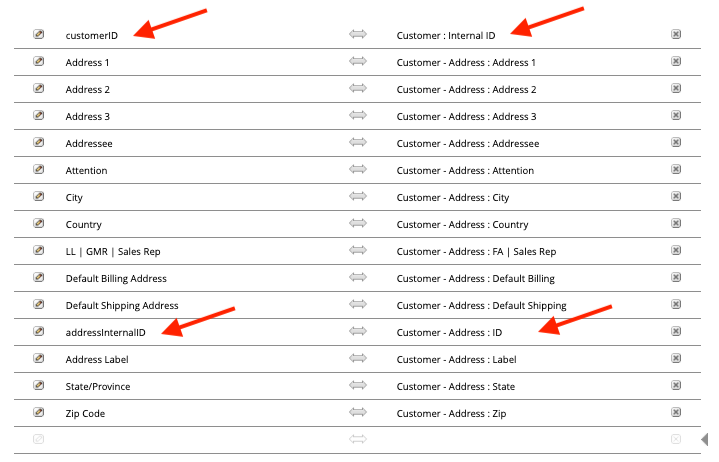
Customer ID : Internal ID
Address ID : Address Internal ID
Run the saved search and export to Excel. Copy the Customer InternalID column and make a new independent file with just the unique values from that one column.
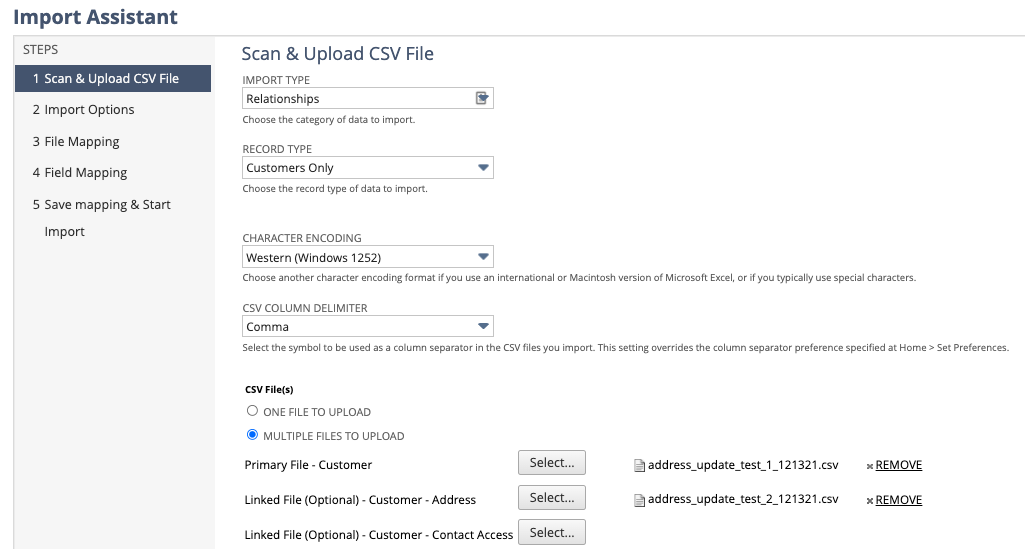
Choose "Relationships" type, set "Customers Only" and choose the "MULTIPLE FILES TO UPLOAD" option.
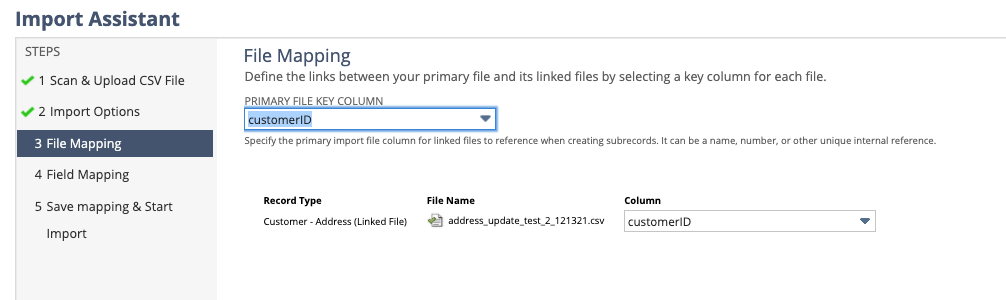
The Primary file is the single column of Customer Addresses.
The Liked file if the exported CSV file with your changes. This will also still includes the CustomerID column. Click Next.
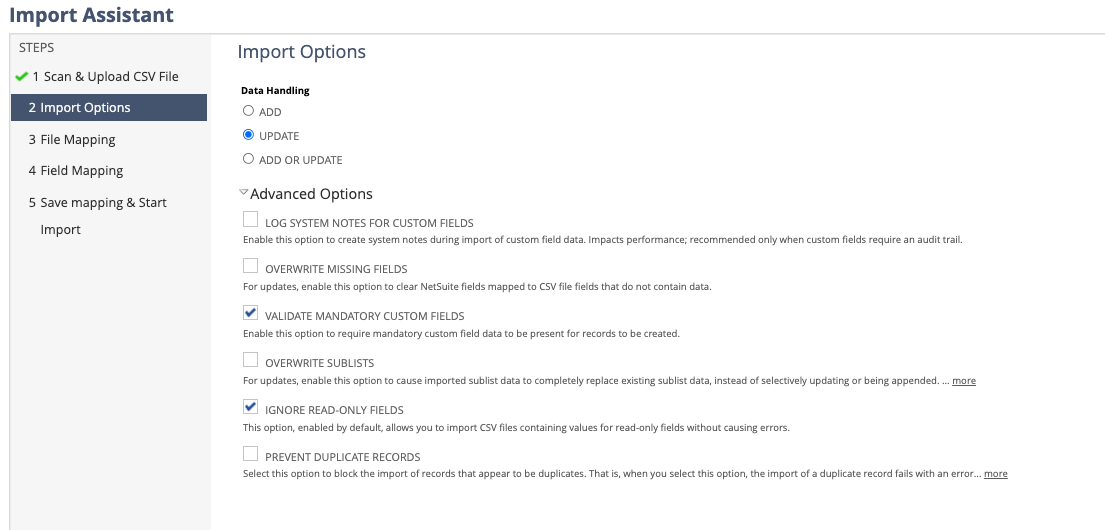
Set import options. Choose Update and do not choose "OVERWRITE SUBLISTS". Click Next.
Link your files by choosing the CustomerID column in both.
Make sure CustomerID is mapped on the "Main Record" and "Address Address Internal ID" is mapped on the ID column of the "Customer Address" sublist record along with the other fields which you wish to change.
Click Next, Save and Run.
Be sure to first test your set up in your SandBox or on a small isolated sample on a test customer before you run your template in a production environment.
If you need help doing more with your NetSuite instance, give us a call. We're here to be your NetSuite system experts. This way you can remain focused on the needs of your customers and growing your business.
...
This article may be of interest to you if your business uses Oracle NetSuite ERP and sometimes has a need to flag certain stock units of a serialized item. NetSuite provides the efficiencies of managing your business in an industry standard way while at the same time leaving a lot of room for creative solutions customized to your way of running your business.
After testing NetSuite’s native 3-Way Match Workflows, our client decided they only needed an immediate alert users when a Vendor Bill doesn’t align with its Purchase Order or Item Receipt. We built a lightweight, native solution that runs automatically, displays a banner on the record, and emails the right people to follow up all in just a few lines of code. This solution is focused on item rate matching.
And why most teams don’t see it coming. Go-live is not the finish line. It is the moment NetSuite is finally exposed to real behavior. This is where the system either proves itself or quietly begins to break. Not because NetSuite is flawed, but because the guardrails were never fully set.