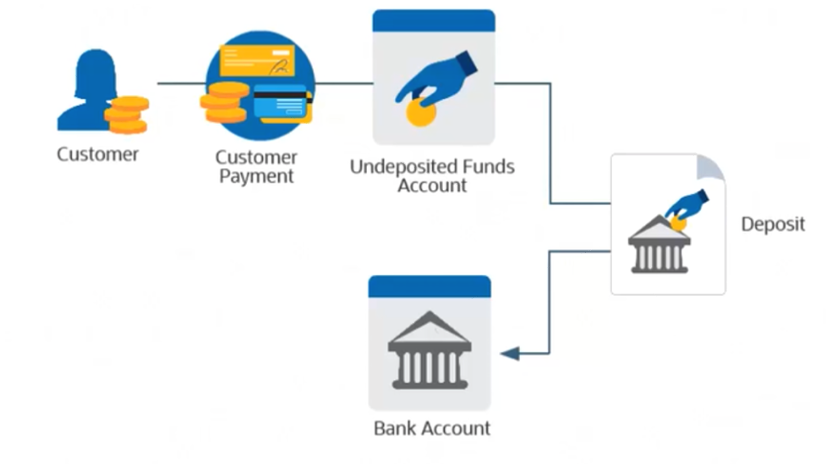
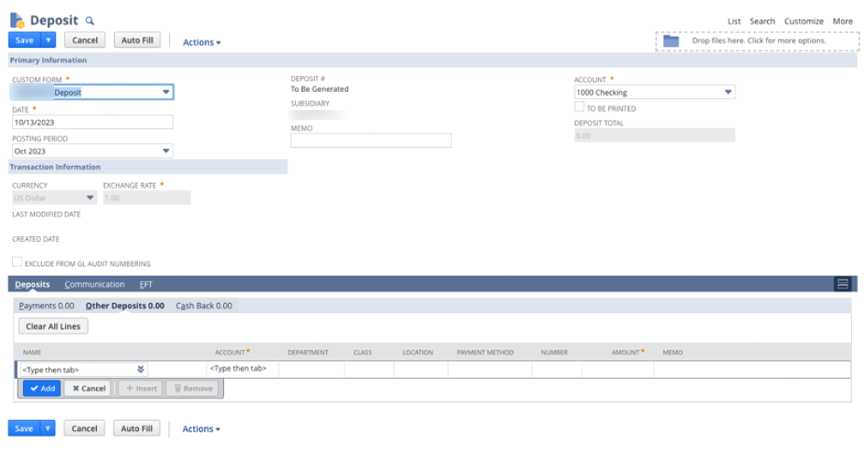
Make a Deposit in NetSuite to record funds you deposit into your bank account. Record Customer payments in the Undeposited Funds bank account. Use deposits to move funds from your undeposited funds bank account to your GL bank account when payments are physically deposited into the bank. This allows you to keep your GL bank account balance and the Actual bank account in sync.

Navigate to Transactions > Bank > Make Deposits or Financial > Banking > Make Deposits.
Under the Payments subtab is a list of payments recorded to the Undeposited Funds Account. Only transactions created in the same subsidiary are displayed. Under the Other Deposits subtab record any additional funds to deposited. Click save and your GL accounts are in sync with your bank account. Mark To Be Printed if you wish to print the deposit. To print navigate to Financial > Banking > Print Checks and Forms. Select Print Deposits, select the bank account and mark all deposits you want to print. Validate by referencing the bank account register.
...
We recently helped a client in the leasing industry modernize their entire tenant-lease management process directly inside native NetSuite. No third-party integrations. No extra modules. No recurring license fees. The result? A robust, auditable, and fully automated lease-to-revenue engine. Purpose-built for their business and completely maintained on simple, native NetSuite.
In today’s fast-paced business landscape, companies depend on integrated systems from e-commerce platforms to EDI solutions like SPS Commerce to accelerate order processing. Yet with that speed and automation comes a hidden risk:
Orders flowing into NetSuite may not always reflect the correct price level or customer-specific item rate.
Whether from an integration mismatch, partner system setup, or simple human error, these discrepancies can slip through unnoticed — creating downstream headaches in margin reporting, customer invoicing, and collections.
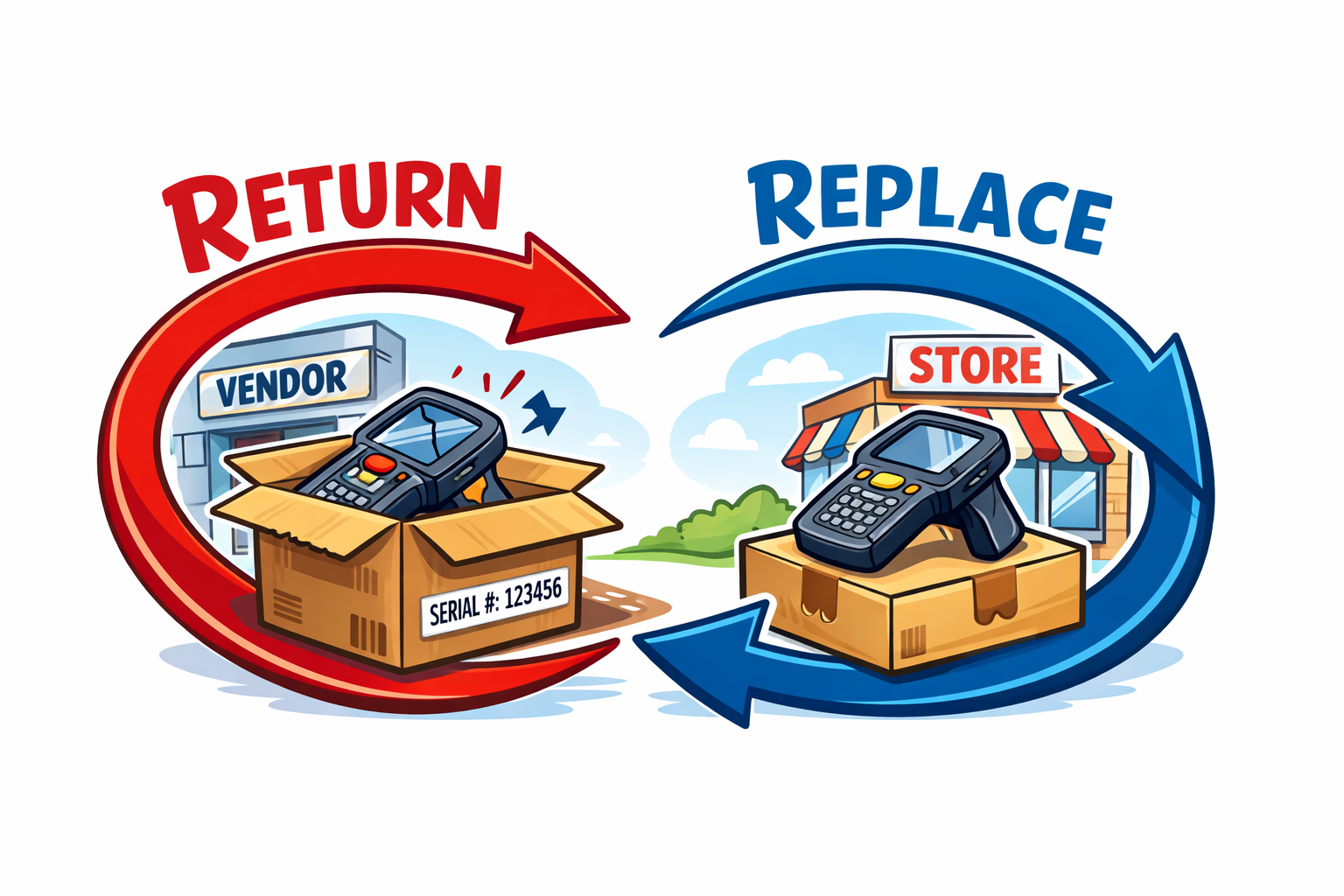
In distribution and serialized inventory environments, the "simple" act of swapping a defective unit for a customer can quietly damage financial integrity if not handled with discipline. A customer returns a serialized unit. The store hands them a new one from stock. The vendor agrees to replace or credit the defective unit. Everyone feels like the problem is solved.
Operationally, maybe. Financially, not necessarily.
After testing NetSuite’s native 3-Way Match Workflows, our client decided they only needed an immediate alert users when a Vendor Bill doesn’t align with its Purchase Order or Item Receipt. We built a lightweight, native solution that runs automatically, displays a banner on the record, and emails the right people to follow up all in just a few lines of code. This solution is focused on item rate matching.