NetSuite offers a few different ways to add landed costs into the value of an item upon receipt. Each method has certain benefits & drawbacks. The method discussed in this article is basic but also somewhat ridged. It involves directly linking a Vendor Bill transaction to an Item Receipt transaction.
The total cost of obtaining stock includes the material charge for an item. It also includes any charges associated with getting items into the warehouse and available for sale. These additional expenses contribute to the total cost of goods sold and affect inventory valuation.
Use the Landed Costs feature to track the expenses you incur when you purchase your inventory. Landed costs let you increase the asset value of inventory by including additional expenses associated with procuring stock, such as freight and duty fees.
Expenses that contribute to landed costs can include the following:
This is an article which discusses a method to leverage NetSuite’s Landed Cost feature. Companies sometimes want to recognize expenses related to the purchase process for an item into the value of an item. This allows those related costs to be held on the balance sheet and expensed progressively with the sale of each unit to end customers.
The method discussed in this article is basic but also somewhat ridged. It involves directly tying a Vendor Bill transaction to an Item Receipt transaction.
Method #1. (Also see method #2)
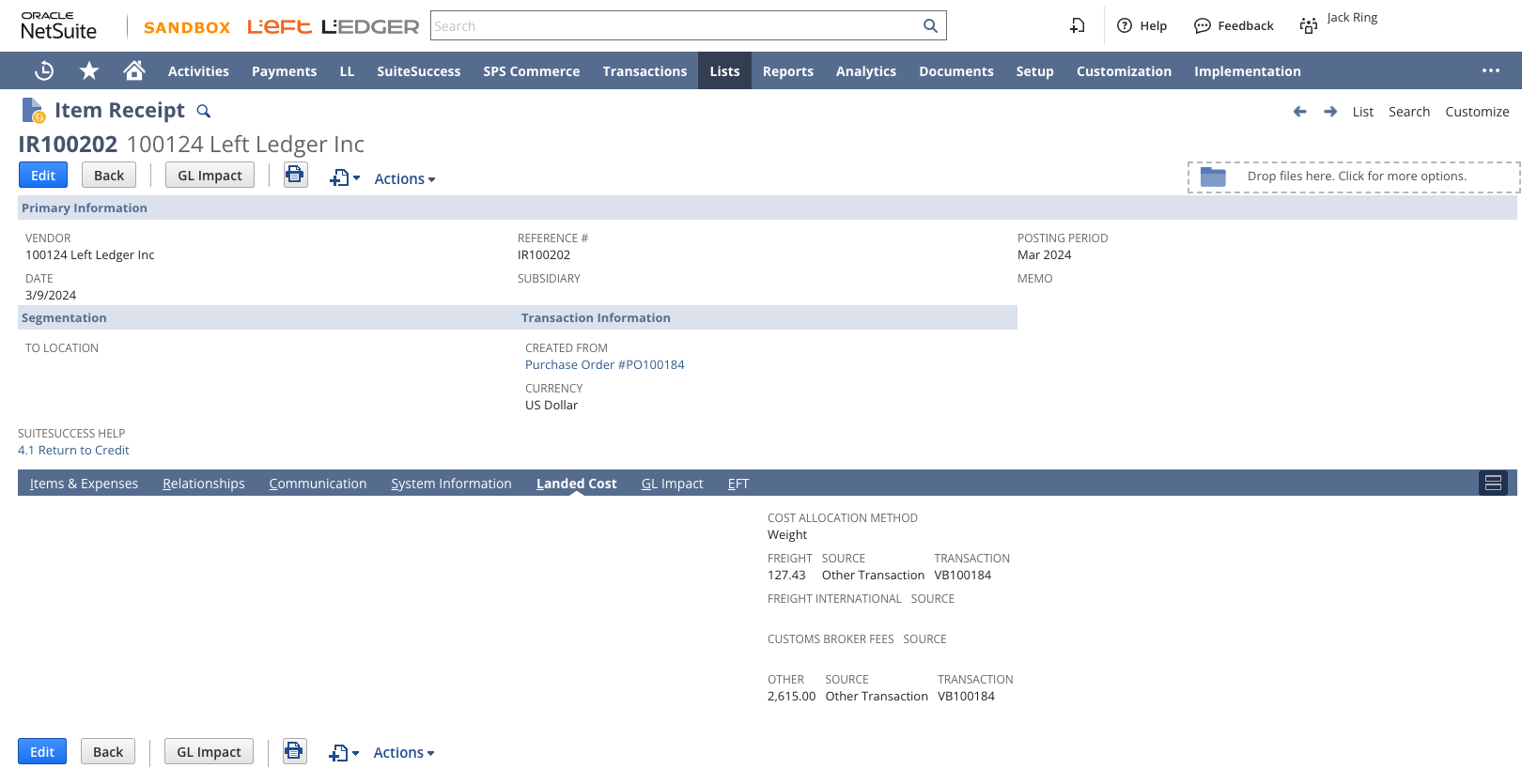
At the time when the Vendor Bill is added to NetSuite, go find the related Item Receipt. Under the Landed Cost subtab, source the landed cost amounts from "Other Transaction" and link the newly-created Vendor Bill.
Drawback #1.
The period may be closed by the time you receive the vendor bill.
Drawback #2.
You may receive two vendor bills for the same line or cost category for the Purchase Order.

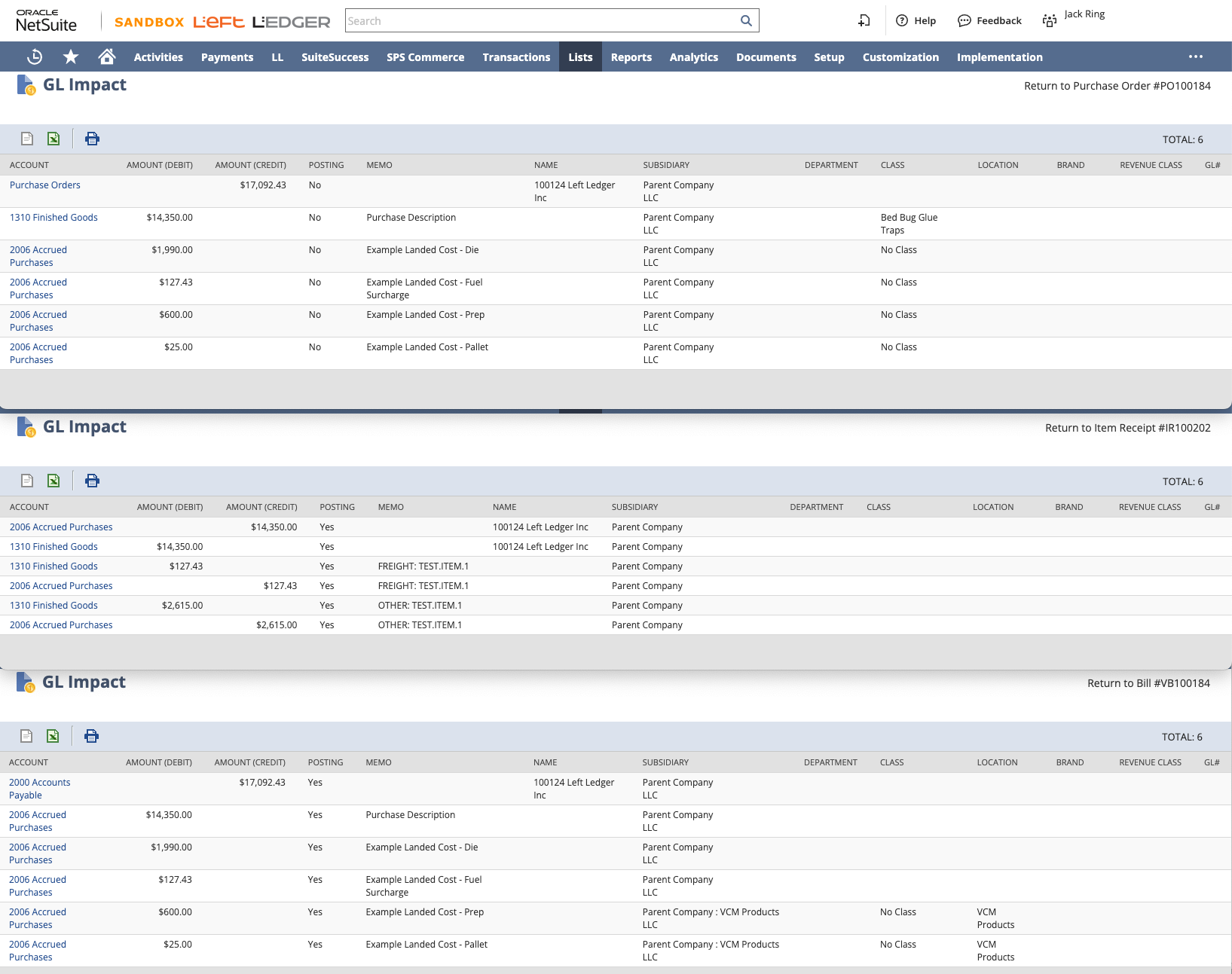
Clearing account chosen is 2006 Accrued Purchases.
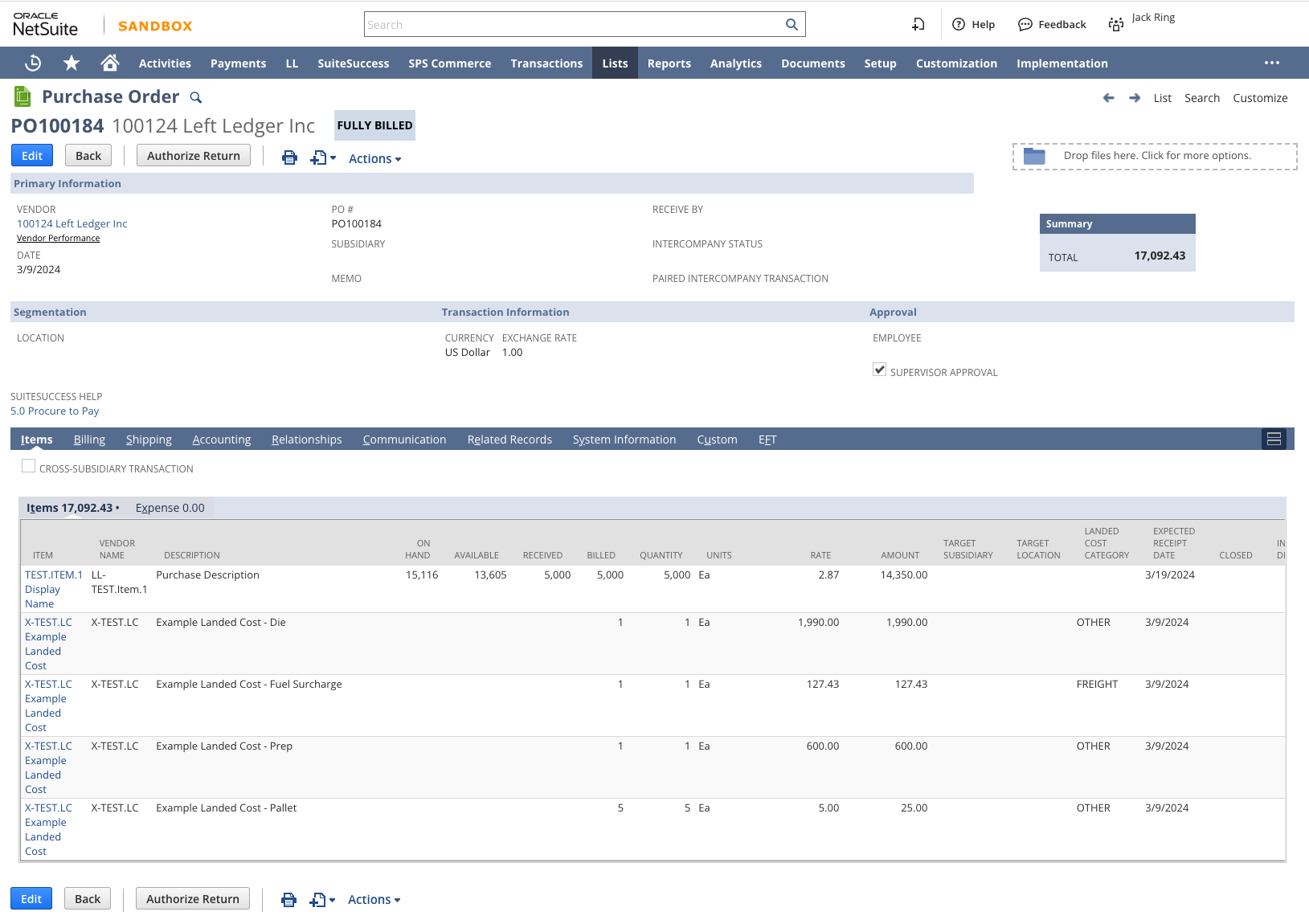
Add the Item units to the “ITEM SUB LIST” on the Purchase Order. Add a special Non-Inventory for Purchase Landed Cost Item and set the Cost Category as expected and agreed with Vendor.
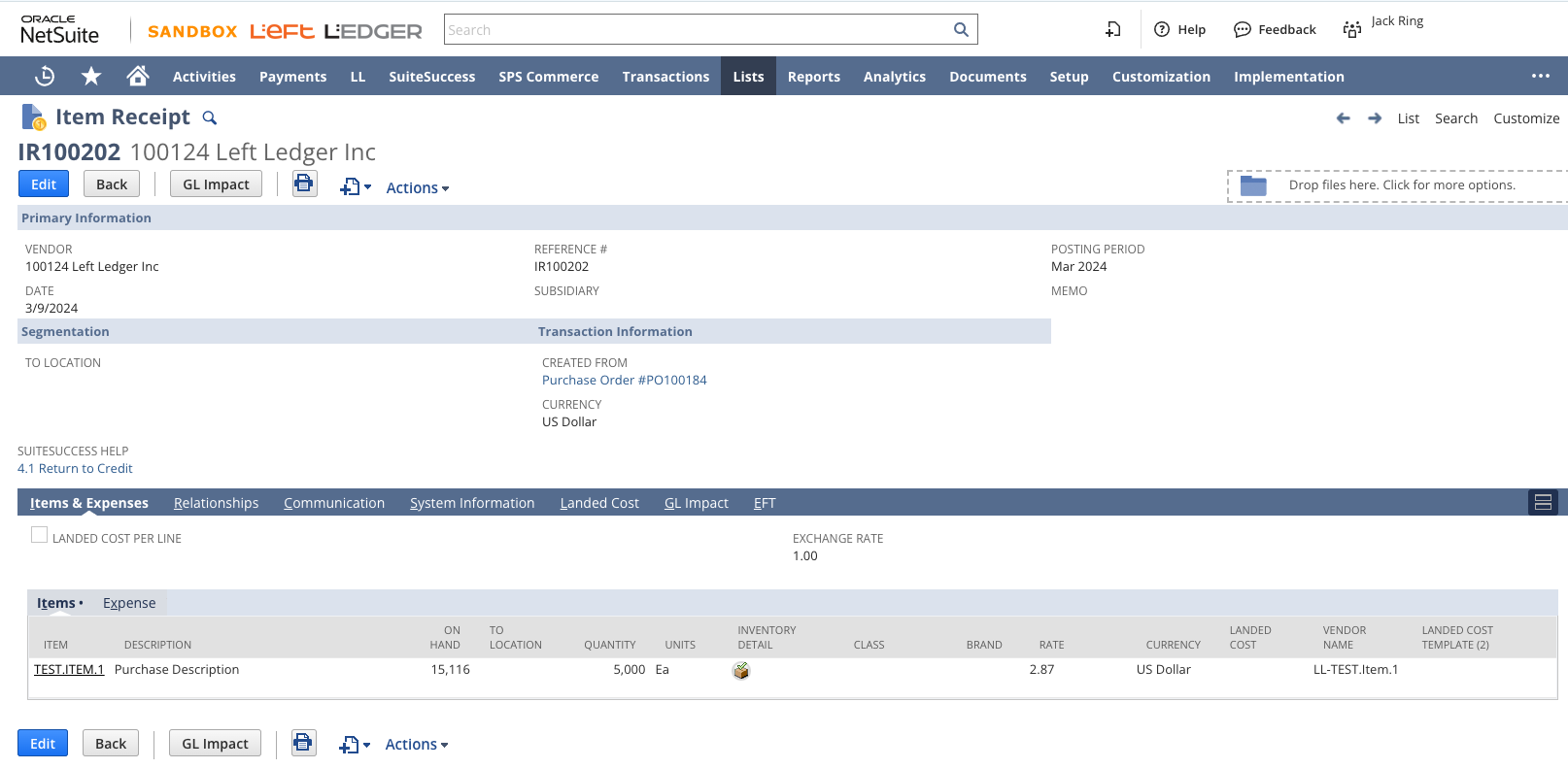
Receive the stock units on the “ITEM SUB LIST” on the Item Receipt.
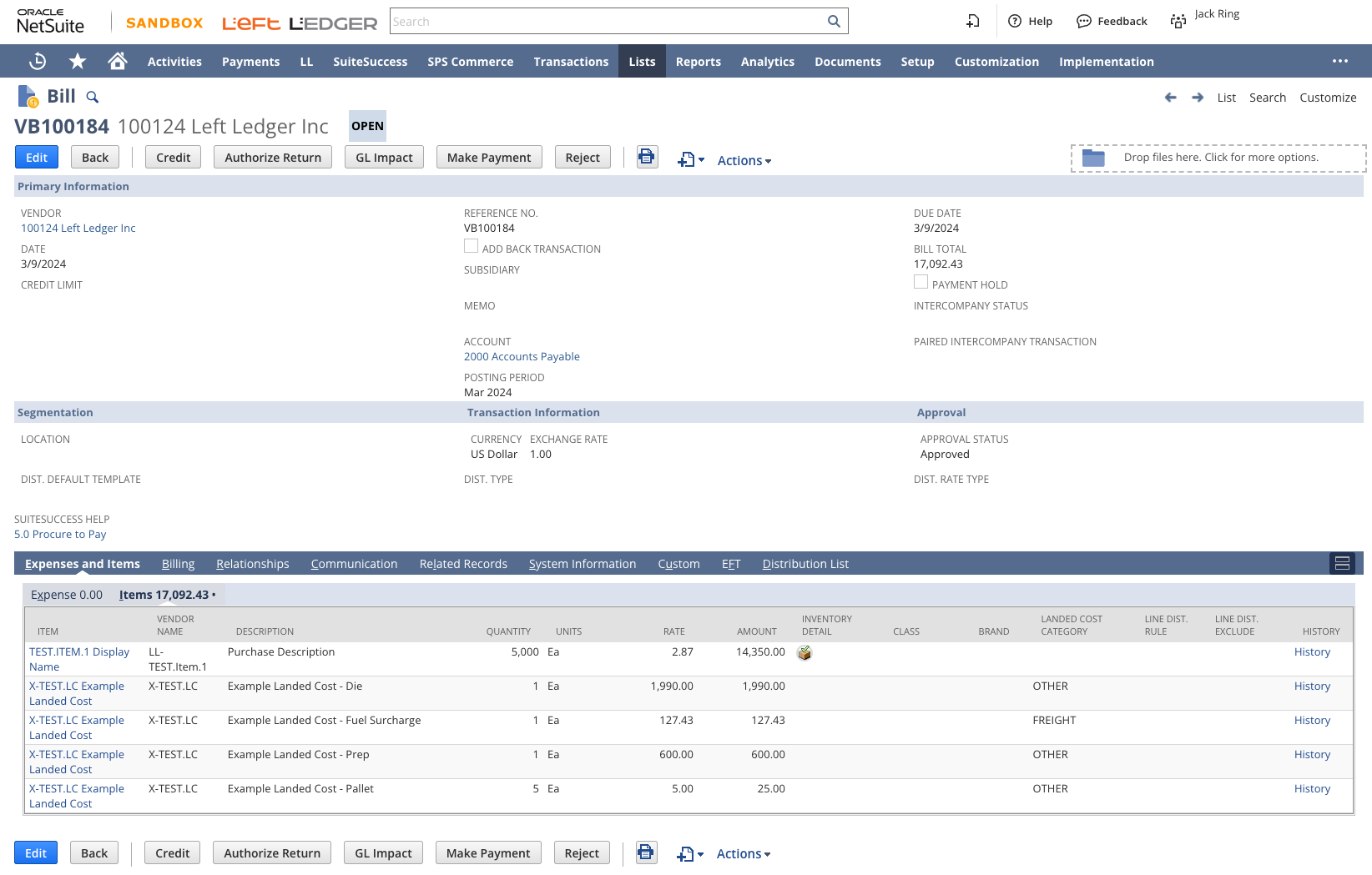
When the Vendor Bill is received, record it in NetSuite by clicking the "Bill" button from the associated Purchase Order.
Come back to the Item Receipt transaction which is related to the origin Purchase Order. Under the Landed Cost sub tab set the “Source” dropdown to “Other Transaction” and set the “Transaction” to the previously Booked Vendor Bill. Repeat per category. ** This only works if there is (1) Vendor Bill for the PO per Cost Category.
Don't hesitate to contact us for assistance in setting up this process in your NetSuite instance. We're here to help you make the most of your NetSuite experience. contact us.
...
Most teams eventually look at Unit of Measure in NetSuite and think they are missing something. The system supports it, it looks more structured, and it feels like the "right" way to do it.
In practice, expanding Unit of Measure often shifts complexity into every transaction instead of removing it. What looks like precision at the system level can quietly introduce friction across order entry, warehouse execution, and financial reporting.
Effective inventory management lies at the heart of successful operations for any company dealing with goods and products. In a rapidly evolving business landscape, the ability to efficiently move inventory between different locations while maintaining accuracy and transparency is crucial. NetSuite, a leading cloud-based enterprise resource planning (ERP) system, offers a powerful solution through its Transfer Order functionality, enabling businesses to optimize their inventory management processes.
If your company runs on Oracle NetSuite and you find that your users continually create duplicate customers even after training and retraining, you may consider that their global search results are not as helpful as they could be. This article explains a technique that your administrators can use to help everyone in your organization do a better job searching for and finding existing customer records before creating a new ones.