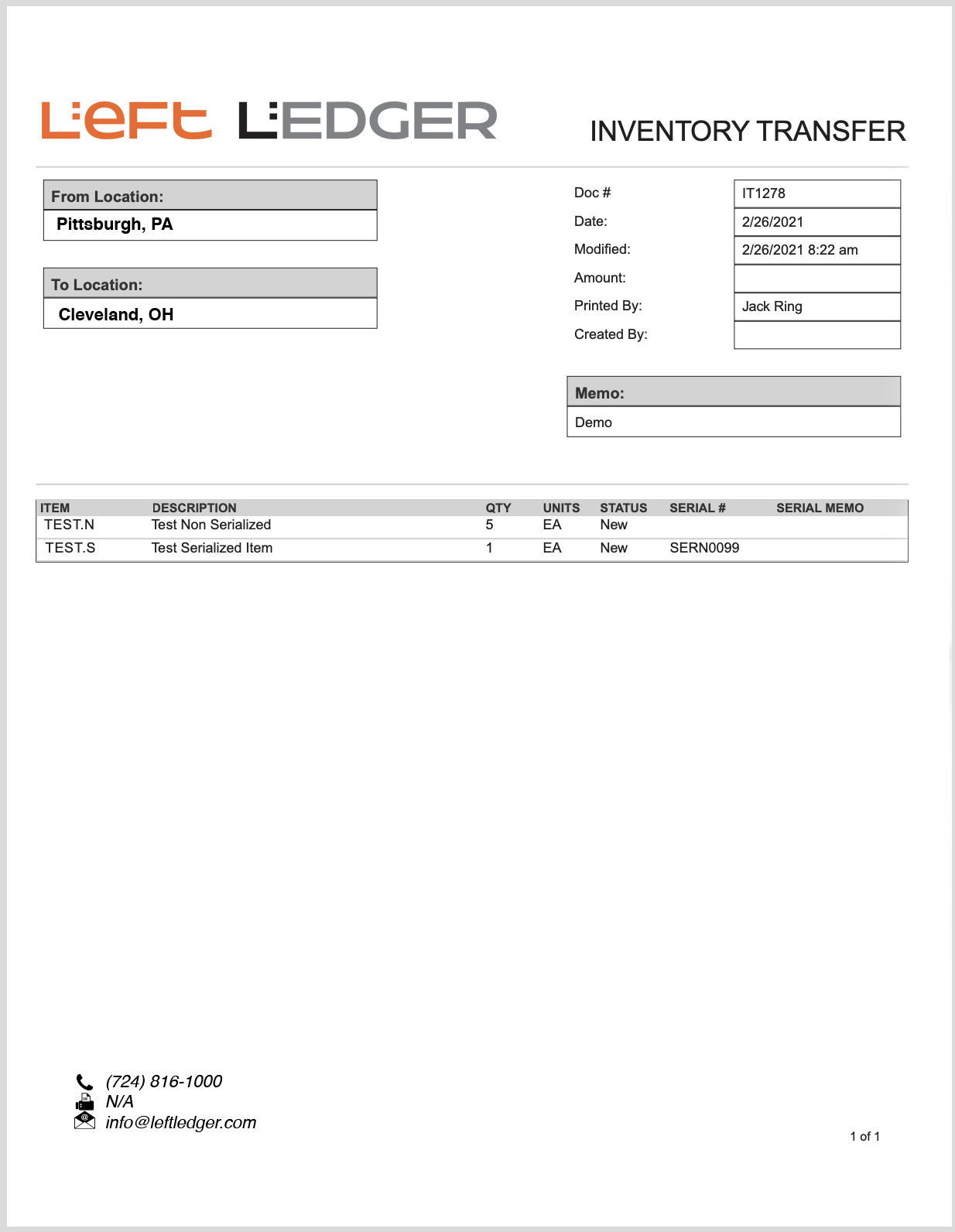
This article outlines a SuiteScript design pattern used to add a button to a transaction, entity or other scriptable page in Oracle NetSuite ERP. This article has an example button action to print something completely custom.
Our clients entrust us to help determine feasibility, offer expert advice, and options to stay as native as possible. We take that responsibility very seriously and do as much diligence as possible before executing on any account customization.
NetSuite offers a few options for transferring inventory. We typically advise that the one-step Inventory Transfer transaction be reserved for the Finance team to decrease items in a source location and increase them in a receiving location, all in one step. Although the Transfer Order transaction does the same thing, we advise Transfer Orders be used in all other cases because they enable you to track items in transit between two locations. They are also useful in scheduling and tracking the steps of the process.
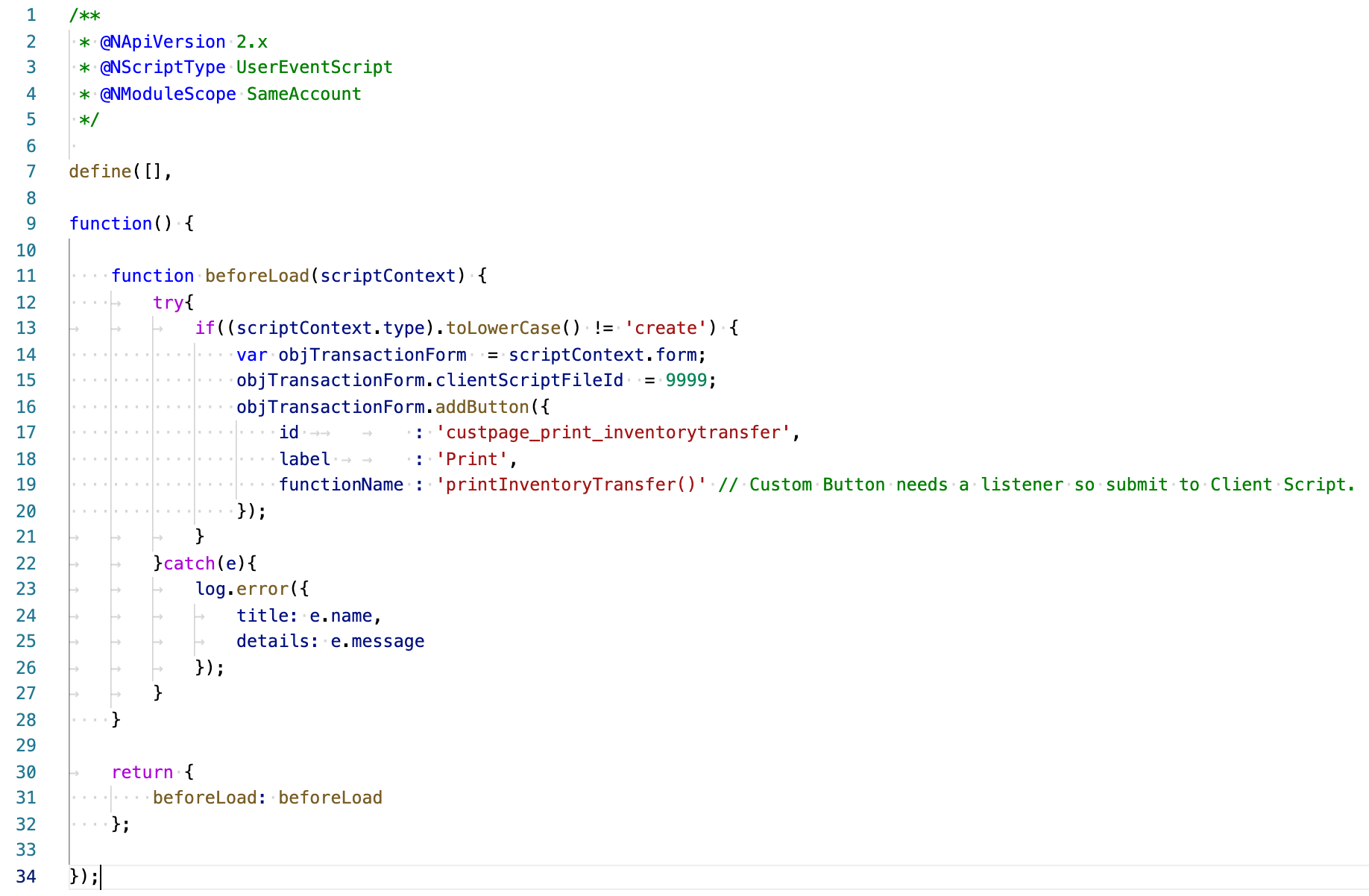
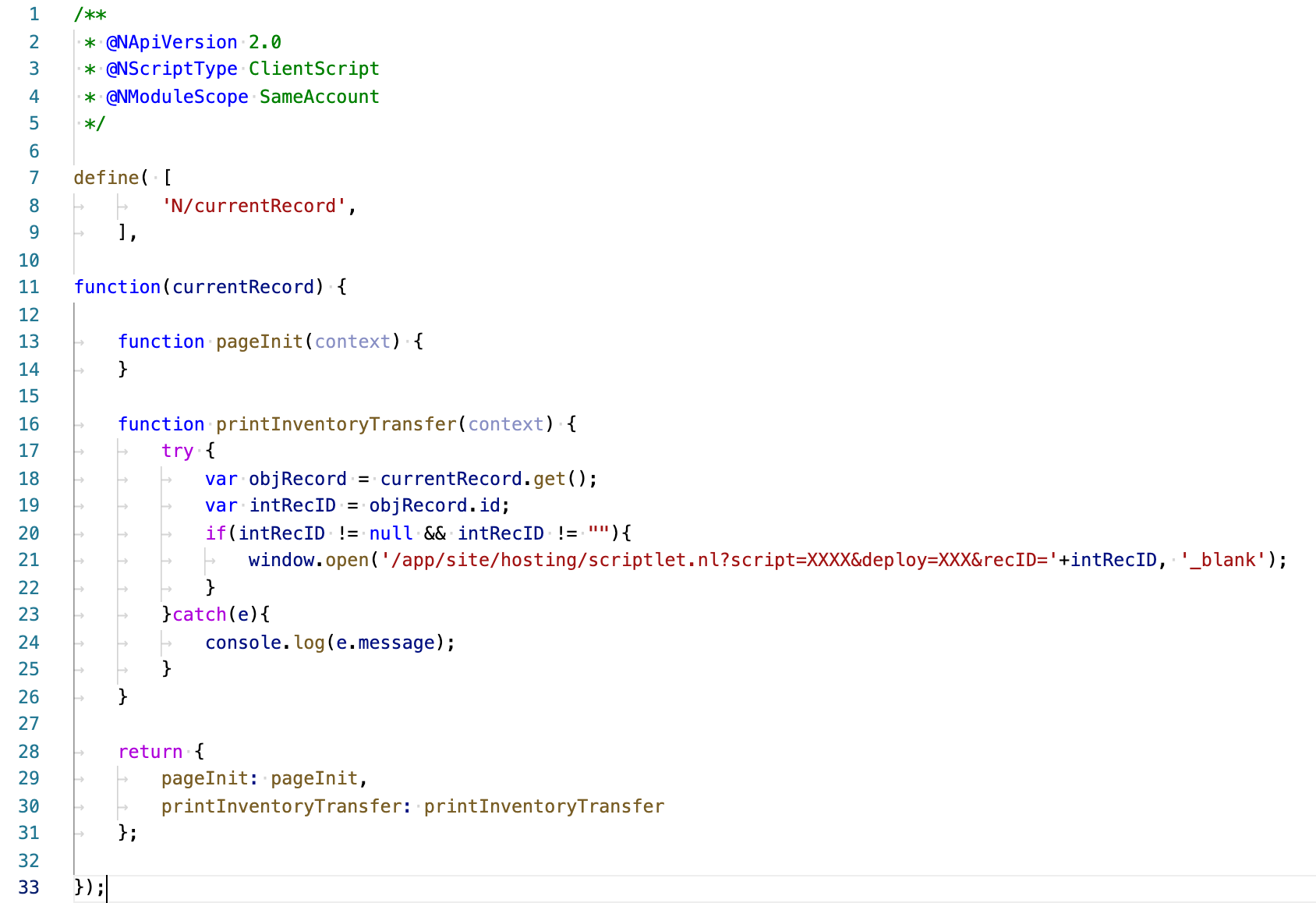
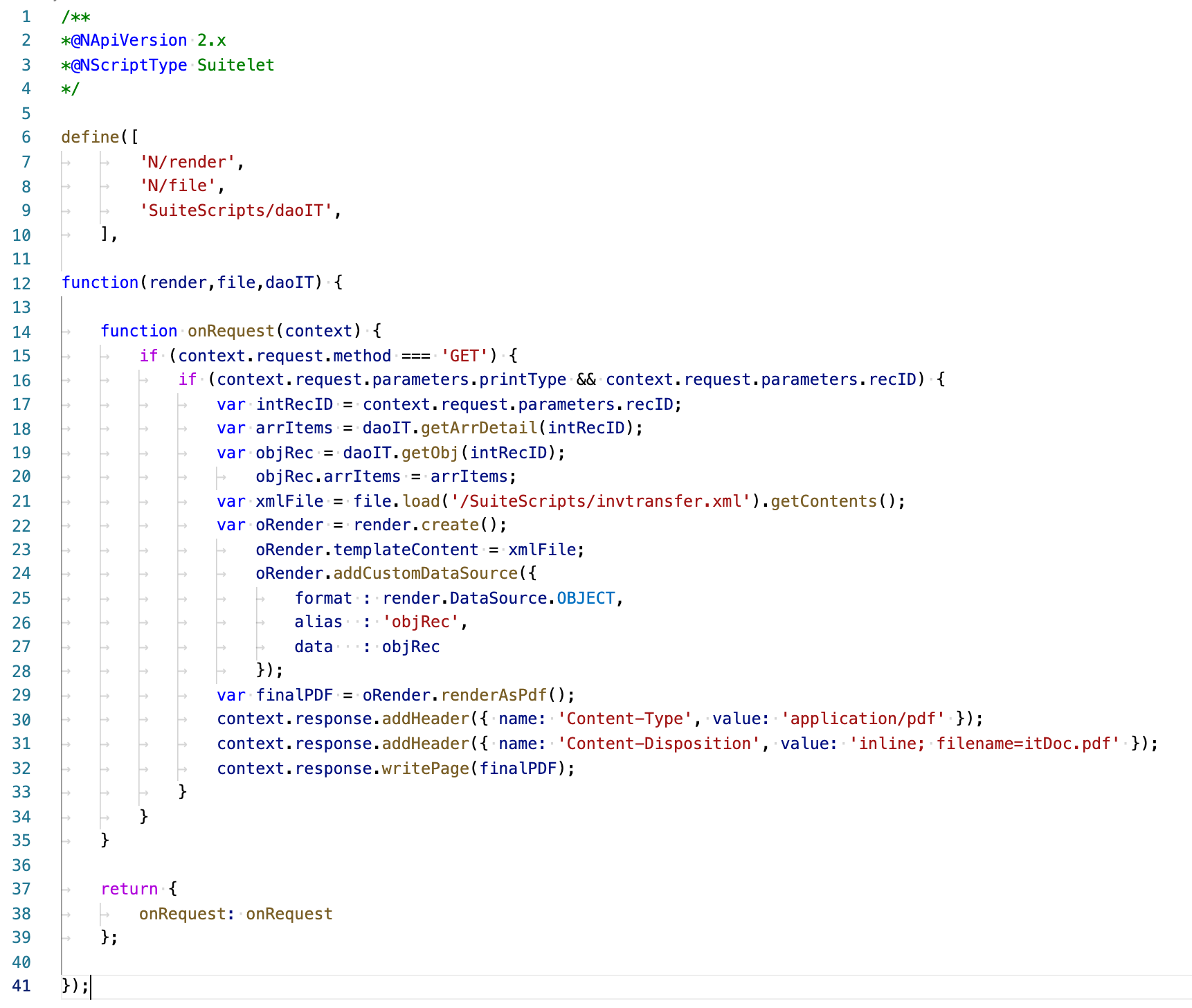
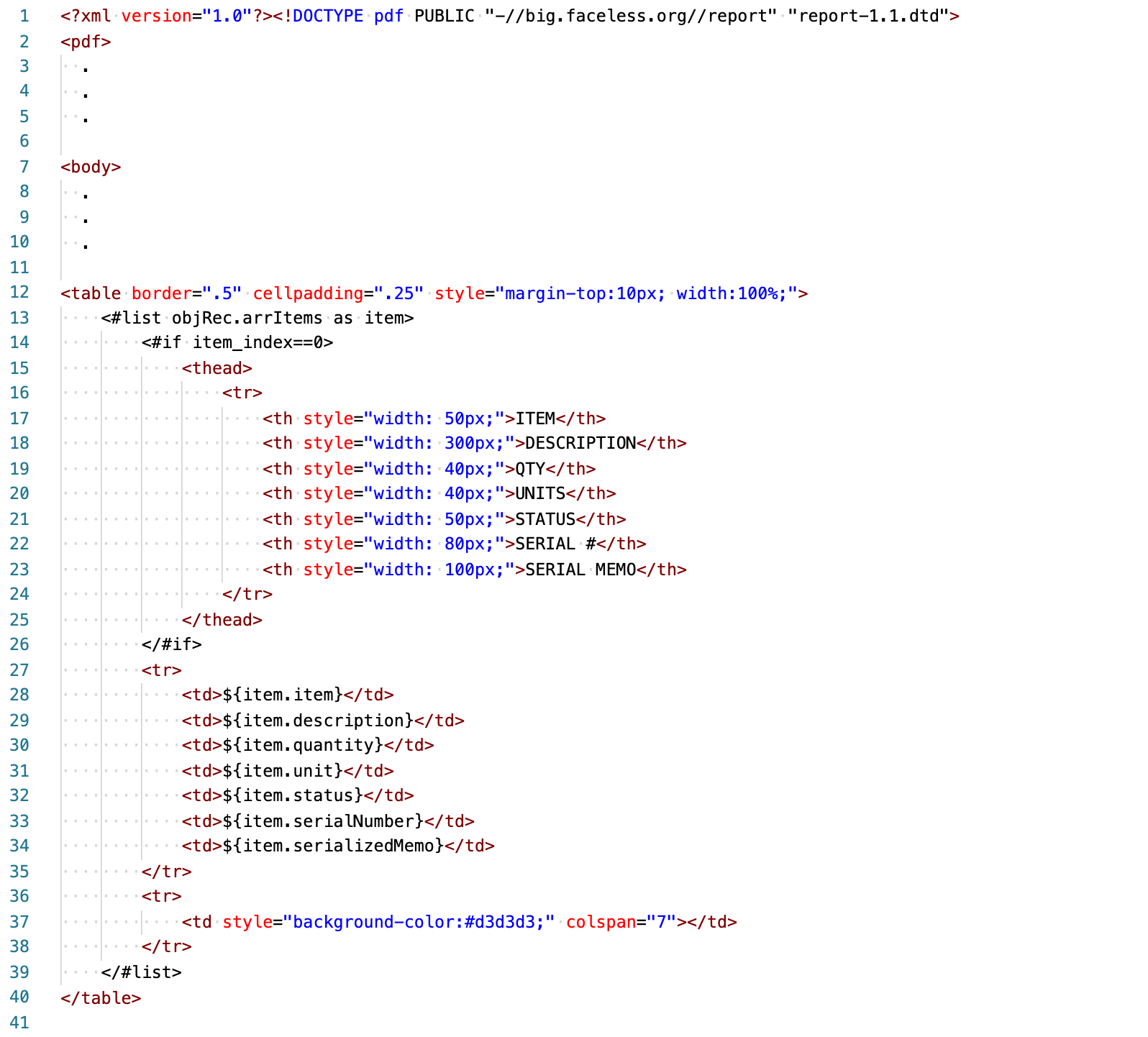
One of our clients came to us with a requirement to print a custom PDF for an Inventory Transfer transaction. This is one of those records for which, to date, NetSuite does not offer a print option. We overcame this challenge by utilizing SuiteScript. We built a (1) User Event script, (2) Client Script, (3) Suitelet and an (4) PDF / HTML file to do the job. The following is not intended to be a lesson in suitescript theory or otherwise. It's meant to serve as a general outline and comes with no promises or guarantees.

The user event script shown will add a button to the page. You must also create the user event script record within NetSuite. Line 15 attaches the client script to the form. No script record is required for the client script.
Line 21 is the url path to the Suitelet script deployment. The function is meant to fire an HTTP GET request to our suitelet with the record internal ID as a single parameter.
We choose to save the file with an XML extension in the SuiteScripts folder in the file cabinet.
In this example we used the addition of a button to allow user feedback to the system. In this case the feedback was simply, build me a PDF. We could have grabbed data from absolutely anywhere in the system or beyond. We could have added charts, graphs and probably anything else you could have imagined.
f you need help doing more with your NetSuite instance, give us a call. We're here to be your NetSuite system experts. This way you can remain focused on the needs of your customers and growing your business.
...
And why most teams don’t see it coming. Go-live is not the finish line. It is the moment NetSuite is finally exposed to real behavior. This is where the system either proves itself or quietly begins to break. Not because NetSuite is flawed, but because the guardrails were never fully set.
NetSuite CRM is one of the most overlooked and underutilized components of most accounts. If your organization pays for NetSuite but still relies on external CRM systems, there's a strong chance you're spending more time, money, and energy than you need to while your teams operate in silos.
This article demonstrates how to create an elegant message banner across the top of the estimate form. This will display when there is an informative note about a customer. Another application may be used to trigger a banner to show when there is a past due amount.
This design pattern utilizes a client script, the SuiteScript message module and a custom body field on the customer record.
Most teams eventually look at Unit of Measure in NetSuite and think they are missing something. The system supports it, it looks more structured, and it feels like the "right" way to do it.
In practice, expanding Unit of Measure often shifts complexity into every transaction instead of removing it. What looks like precision at the system level can quietly introduce friction across order entry, warehouse execution, and financial reporting.