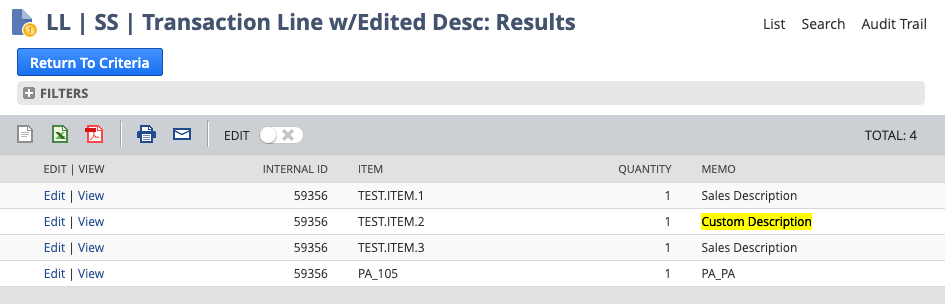
This article will be of interest to you if you are building a NetSuite Saved Search and trying to reference the transaction line description (as edited) in your results. This article documents how to achieve this result.

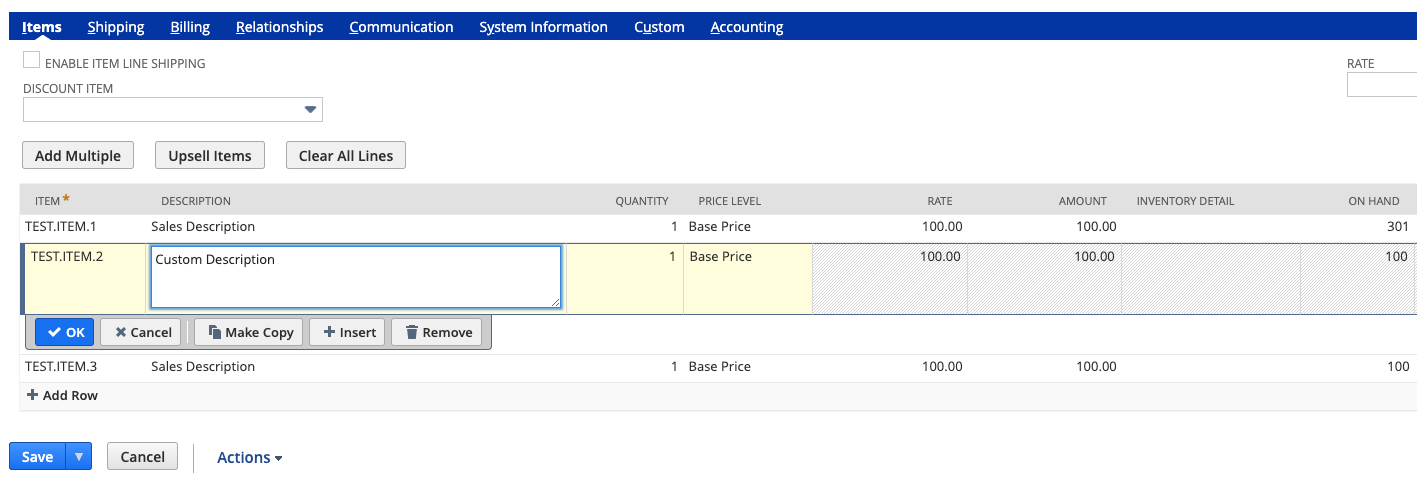
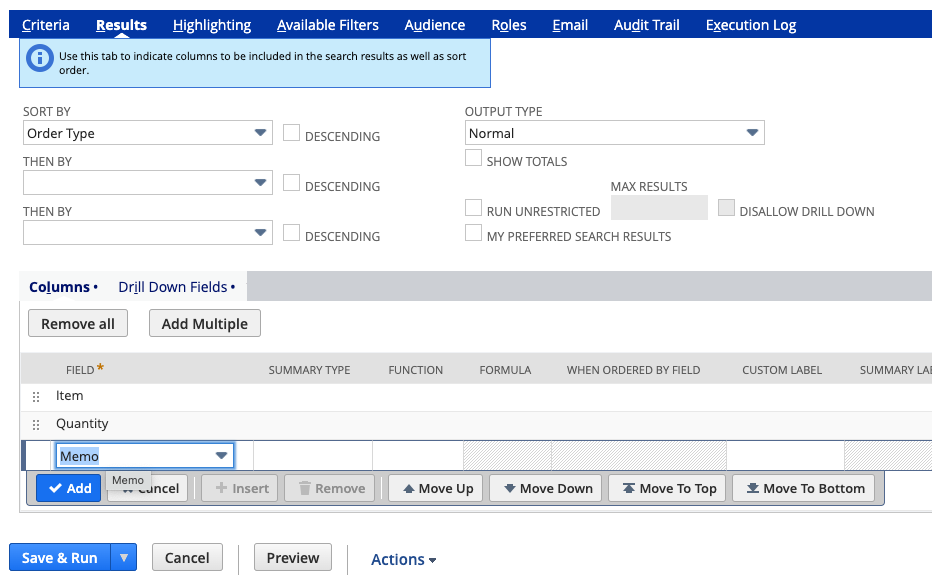
When items are added to a transaction NetSuite pulls the description form the item master. Users then may choose to edit the description in whatever way they see fit. In the Results tab of the Saved Search editor, choose the "Memo" column to display the transaction line description.
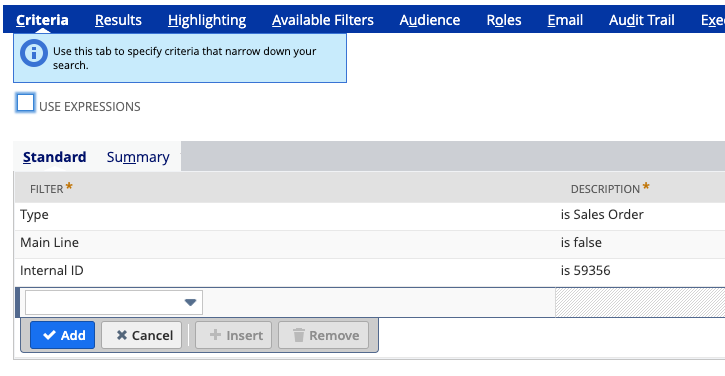
Set the criteria.
Configure the columns. This is where you reference the "Memo" field to show the line description (as edited) on your saved search.
If you need help doing more with your NetSuite instance, give us a call. We're here to be your NetSuite system experts. This way you can remain focused on the needs of your customers and growing your business.
...
Most NetSuite environments don’t break, they drift as the business evolves. Over time, small gaps form between finance, operations, and how the system is actually being used, and no single person owns all three. This isn’t about blame, it’s about recognizing where control quietly slips. I wrote this short piece for CFOs on how to spot it and where to regain clarity and trust inside NetSuite. #NetSuite #CFO #FinanceLeadership #ERP #Operations #ContinuousImprovement
Effective inventory management lies at the heart of successful operations for any company dealing with goods and products. In a rapidly evolving business landscape, the ability to efficiently move inventory between different locations while maintaining accuracy and transparency is crucial. NetSuite, a leading cloud-based enterprise resource planning (ERP) system, offers a powerful solution through its Transfer Order functionality, enabling businesses to optimize their inventory management processes.
NetSuite offers a few different ways to add landed costs into the value of an item. Each method has certain benefits & drawbacks. The method discussed in this article is basic and flexible but also somewhat prone to user error. It involves manually entering landed costs directly on an Item Receipt transaction.